
エキスパートに相談
弊社の3Dプリンターエキスパートに相談する

Product Features


Bruleは、他社に先駆けて2012年から3Dプリンター販売を開始いたしました。その後も、市場評価の高い卓上型プリンタを厳選して、販売からサポートまで社内で手掛けているのが特徴です。経験豊かな技術者が社内に数多く在籍しております。

Bruleは、3Dプリンターのサプライヤーであり、産業用および、卓上型の3Dプリントそれぞれに精通しています。弊社は、最先端の次世代金属3Dプリンター、SLS、超高速産業用3Dプリンターも取り扱っております。

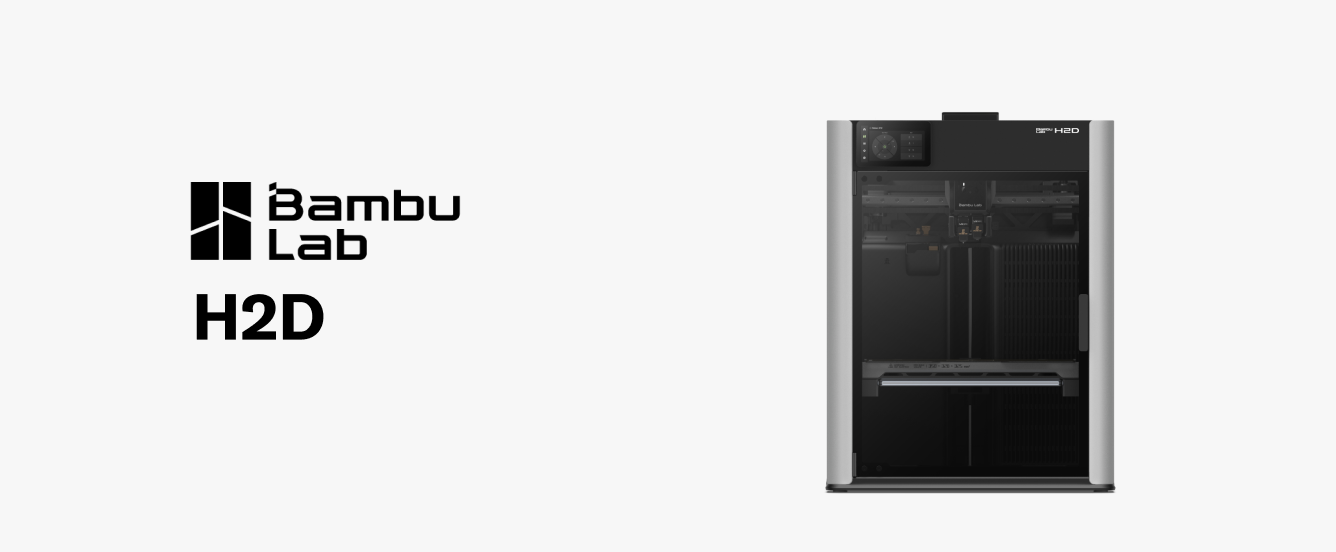
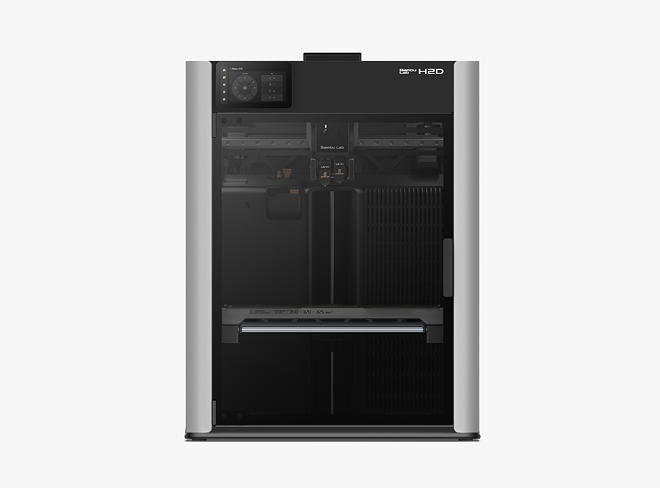
H2Dはデュアルノズルでの3D造形、レーザー彫刻、ペンプロットをシームレスに統合し、ユーザーのアイデアを極限まで実現させます。
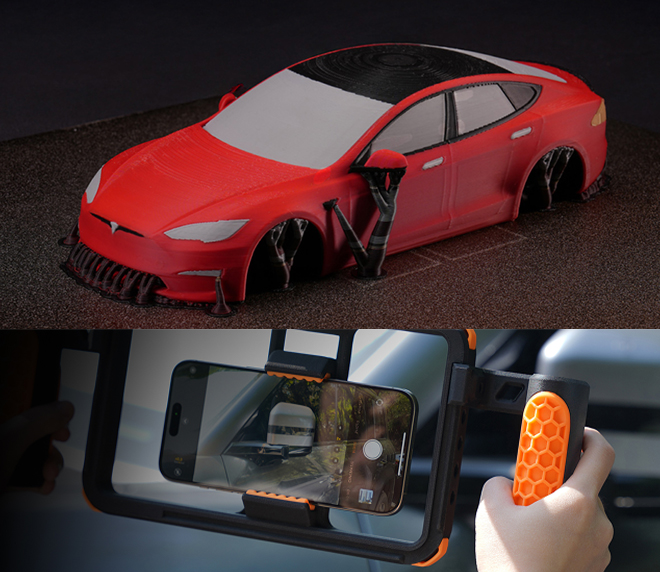
より自由な設計を少ない廃棄量で造形を実現。
柔らかい素材と硬い素材を同時に造形できます。無駄な廃棄物を最小限に抑えながら完璧なオーバーハングを実現する専用のサポート構造も作成します。
複数の機能を1つのプリンターに統合することで、スペースとコストを削減します。
H2Dは単なる3Dプリンターではありません。オプションの機能を追加すると、レーザー彫刻機やレーザーカッター、ビニールや布素材用のデジタルカッター、複雑な描写やアートワーク向けのペンプロッターも使用できます。
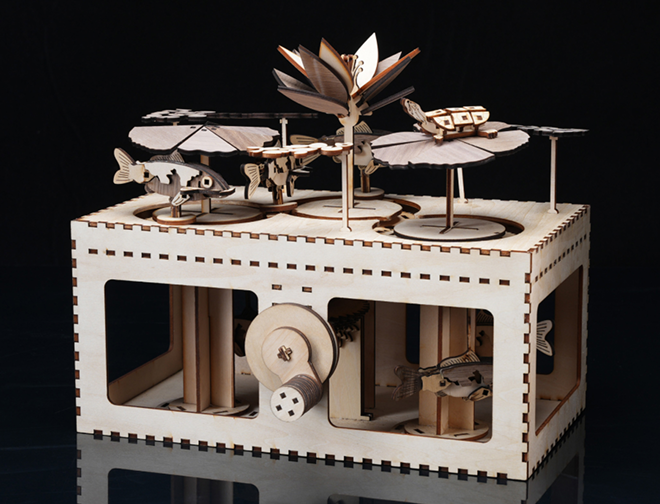
Expand creative horizons and offer personalized products. Optional add ons available in 10W and 40W modules.
Add intricate details to projects with the powerful laser engraving and cutting capabilities. Engrave on wood, leather, acrylic, and more.
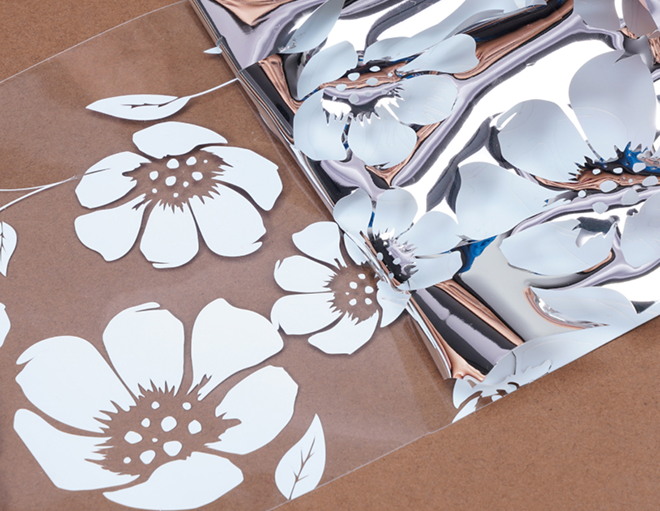
Easily create custom designs with the optional digital cutting module.
Precisely cut a wide variety of materials, including vinyl, paper, fabric, and thin plastics. Create custom stickers, decals, stencils, and more.
より大きく、最も野心的なデザインを実現します。
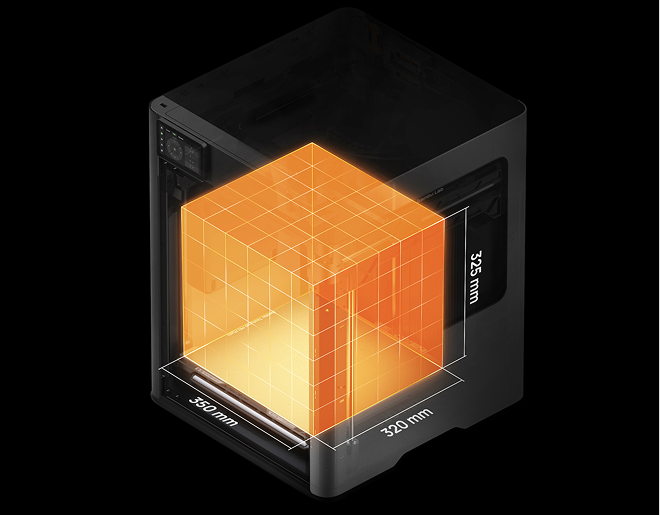
H2Dの造形サイズは350×320×325㎜なのでユーザーの大規模なプロジェクトも手軽に作成ができます。
強力で耐久性があり、機能的な部品を作成できるので、条件の厳しいアプリケーションにも対応します。
H2Dは最高温度350℃のノズルコアと最高温度65℃のアクティブ加熱チャンバーが搭載されており、ABS、ASA、PC、ナイロンなどの高性能素材を反りや変形もなく造形することができます。
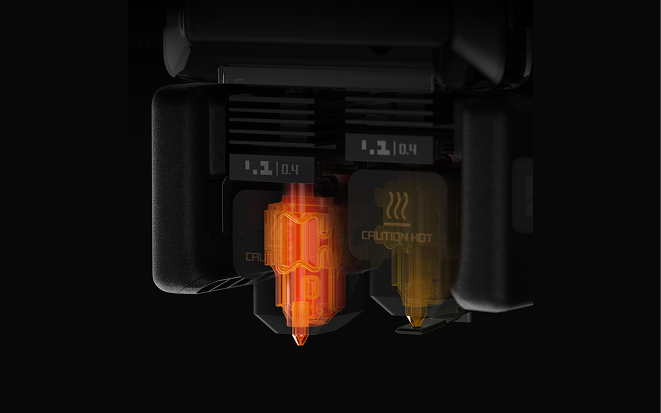
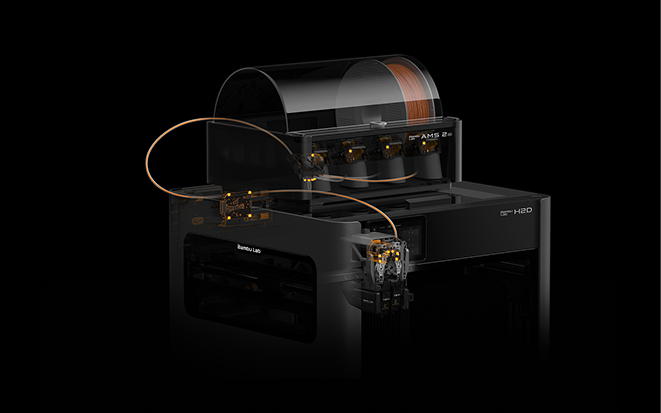
難しい素材でも信頼性が高く、安定した造形が可能です。
H2Dには15個のセンサーが搭載されており、フィラメントの流動性、張力などを監視しています。リアルタイムでアラートを送り、フィラメントの問題による印刷の失敗を防ぎます。
Minimize waste and maximize resources.
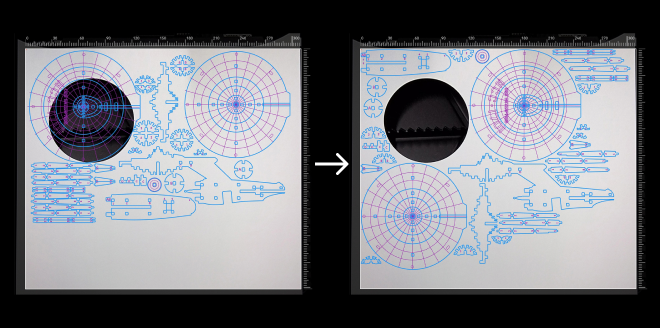
Leveraging real-time images from the BirdsEye camera, Bambu Suite can automatically arrange projects according to the shape of material, i.e left over plywood from the previous project.
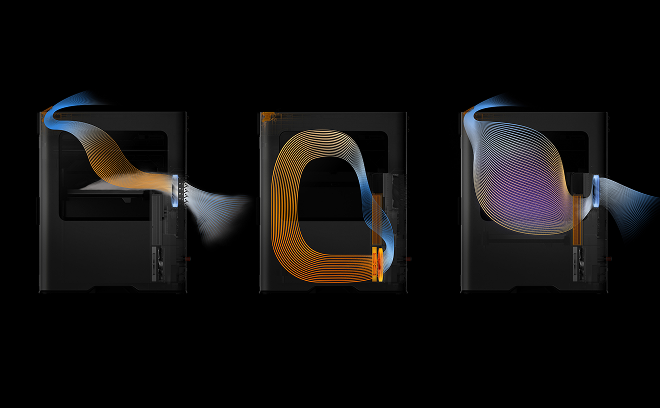
安全性が強化され、パフォーマンスが最適化されました。
H2Dは包括的な材料押し出し量の監視機能を備えています。AMSからノズルまで15個のセンサーがネットワークを形成し、5つのパラメータを監視します:供給速度、張力、フィラメントの先端位置、押し出し機の熱環境、動的押し出し圧力。
* ヒートベッドがすばやく必要な温度に温まるように、最大3分程度プリンターが最大出力で電気を消費します。
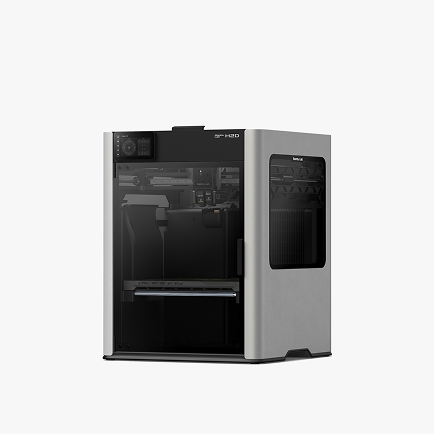
The core dual-nozzle 3D printing system.
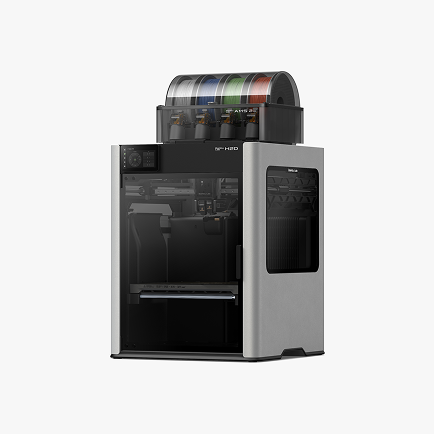
Includes the H2D and the advanced AMS 2 Pro for multi-material printing.
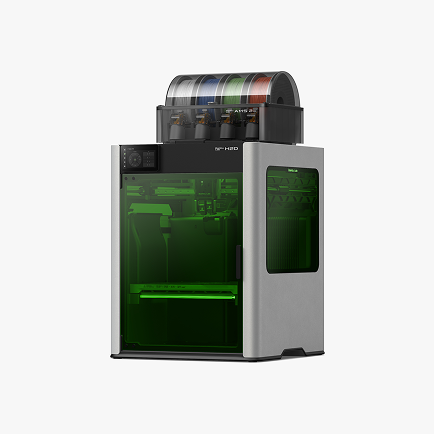
Includes the H2D, AMS 2 Pro, 10W laser module, cutting module, and platforms.
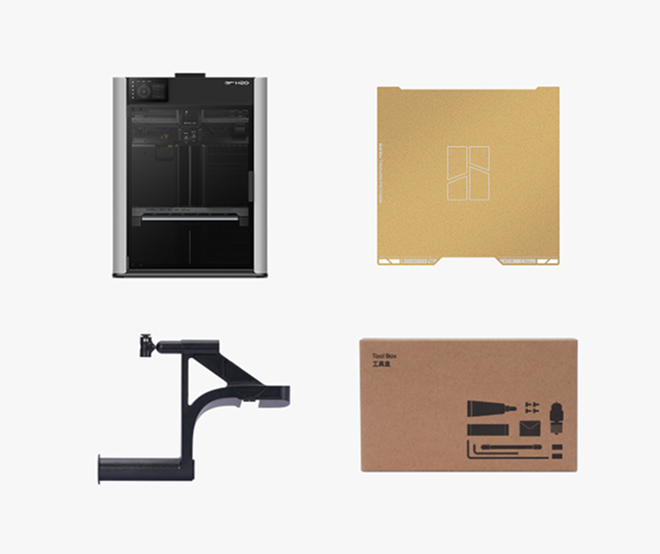
The H2D laser full combo has a built-in air pump and air pipe on the back of the printer, and is pre-installed with a BirdsEye camera. The front door, left and right side Laser Protective Windows, and top cover are all designed with laser protection. The packaging list includes a laser module, a cutting module, a smoke exhaust pipe and its adapter, as well as an emergency stop button.
We plan to launch a laser upgrade kit for the non-laser version of H2D. The upgrade kit is expected to be released in June and will also provide installation instructional videos to help users complete the upgrade smoothly.
It is important to note that the air pump in the upgrade kit is an external air pump, which has a different installation structure from the built-in air pump in the full set. When using it, it can only be installed externally and connected to the machine through an air tube.
Yes, the left and right hotends have identical structures and materials, and can be used interchangeably.
Because H2D is a dual-hotend printer, and in the most extreme scenario, all AMS can be connected to one hotend while the other hotend uses an external spool holder, it can support up to 25 colors.
The first-generation AMS has been confirmed to have full plug-and-play compatibility and can be used with the H2D for multi-color printing, but it does not support the AMS drying function.
Due to the fundamental differences in the feeding mechanism and buffering structure, the H2D does not support the AMS lite.
The two 4-pin ports on the back are reserved for future expansion accessories. For example, to upgrade a non-laser version of the printer to a laser version, one of these ports can be used to connect an external air pump.
Although the hotend of the H2D series is similar to the A1 hotend in structure , it is not exactly the same.
The H2D hotends are specifically designed for the H2D printer, offering optimized compatibility. For example, they support a larger maximum volumetric flow rate, lower clogging risk, more precise nozzle offset calibration between the left and right hotends, and automatic hotend type recognition via the live camera. Therefore, to ensure optimal print quality, it is strongly recommended not to use A1 hotends on the H2D printer.
Therefore, to ensure you get the best print quality, we strongly recommend that you do not use the A1 hotend for H2D printers.
Purchasing additional H2D hotends for use on A1 printers is feasible. However, you will also need to use the H2D hotend silicone sock.
Both the 10W and 40W laser modules are blue light lasers that support processing a variety of materials, including wood, rubber, metal sheets, leather, dark acrylic, and stone. However, due to differences in power and size, there are the following distinctions:
1. Maximum cutting thickness(For Basswood Plywood):
10W laser module: 5mm;
40W laser module: 15mm;
2. Maximum engraving speed(For Basswood Plywood):
10W laser module: 400mm/s;
40W laser module: 1000mm/s;
3. Processable Area:
10W laser module: Maximum processing area X310mm * Y270mm, maximum processing height 280mm;
40W laser module: Maximum processing area X310mm * Y250mm, maximum processing height 265mm;
The package does not include a standard USB flash drive. You can still initiate printing normally without a USB, as the printer has built-in storage space to run print files.
However, without a USB inserted, the following functions will be affected:
1. The recording and time-lapse photography functions can't be turned on;
2. Printing cannot be initiated through the LAN;
3. Print files cannot be sent to the machine for storage through the studio;
4. Log files cannot be exported;
USB requirements: USB2.0 protocol or above (actual minimum write speed needs to be greater than 10M/s), supported file formats are FAT32 and exFAT. And the printer only supports mounting one USB, and cannot connect multiple USB via a USB hub.
The hotend to be used for printing has already been determined when the model file is sliced. As for the built-in models, the right hotend has been selected during the slicing process, so it is impossible to change the hotend used for printing on the printer screen.
When you slice the file in Bambu Studio and send the print task , you can freely choose to use the left hotend or the right hotend. For some filaments, such as TPU and PPS/PPA-CF, it is recommended to use specific hotends for printing.
For more details on H2D filament printing, please check the Wiki.
H2D is equipped with an efficient exhaust system that effectively removes smoke and dust generated by laser operations, significantly reducing contamination. During R&D, we conducted rigorous testing to ensure that with regular machine cleaning, the impact of smoke and dust on performance and precision is negligible. For detailed cleaning instructions, please refer to: Wiki.
Due to the flexible nature of TPU filaments, there are some operational issues that can arise during feeding and printing. To facilitate TPU printing, we have created a dedicated Wiki guide. Simply follow the instructions in the Wiki to successfully print with TPU filaments: Wiki.
Because laser processing involves using high-energy lasers on potentially flammable materials, we strongly advise users not to leave the machine unattended during laser operations. Please maintain constant vigilance over the machine's operational status and ensure that there are no flammable or explosive materials in the machine's surroundings. For more information please refer to: Wiki.
For more information about H2D, refer to the official Wiki.
Bruleは、他社に先駆けて2012年から3Dプリンター販売を開始いたしました。その後も、市場評価の高い卓上型プリンタを厳選して、販売からサポートまで社内で手掛けているのが特徴です。経験豊かな技術者が社内に数多く在籍しております。
Bruleは、3Dプリンターのサプライヤーであり、産業用および、卓上型の3Dプリントそれぞれに精通しています。弊社は、最先端の次世代金属3Dプリンター、SLS、超高速産業用3Dプリンターも取り扱っております。